
Alrbea Times Assistant

Explains the system step by step

Hi 👋 I'm the Alrbea Times assistant. Ask me anything: installation, settings, changing the design, Ramadan, or ordering.

Answers from the user guide and system features. Need a person? WhatsApp Do not type personal data here — Privacy.

How to choose a screen and prayer-times device for your mosque

Five points to review before you order, so the screen works from day one. The device turns the TV you already have into a prayer-times display; the screen is not included in its price.

1

What do you need?

Only four things

  • The Alrbea Times device: pre-programmed and ready to run.
  • A TV screen with an HDMI port. The screen is not included in the box.
  • A stable and safe power source near the screen.
  • Internet (optional for daily display): needed for updates and for remote edits from your phone.
Product guide: what is in the box

2

Choosing the screen

What matters is that worshippers can read it

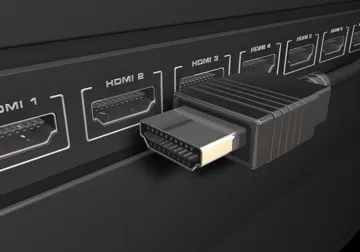
  • Make sure the screen has an HDMI port. The device works on ordinary TV screens of all sizes.
  • Place the screen where worshippers can see it from where they pray, and avoid strong light reflecting off the glass.
  • The device supports three modes: landscape, portrait and reversed portrait, so choose what suits your wall.
HDMI ports on the back of a TV
3

Choosing the template

A look that suits your mosque

Several Islamic templates are available in portrait and landscape, and you can change the template any time from the screen settings. You can also add the mosque name or logo.

See all templates

4

Internet and power

What happens in an outage?

  • The screen calculates and shows the times locally, so it keeps displaying when the internet is down.
  • If the mosque has no Wi-Fi you can use your phone hotspot.
  • Use a stable power source; when power returns the screen appears after a few seconds.

What continues during an internet or power outage

5

Checklist before you order

Two minutes are enough

  1. Does the screen have an HDMI port?
  2. Where will the screen go, and which orientation suits the place?
  3. Is there a power source nearby?
  4. Do you know how it will connect to the internet (Wi-Fi or a hotspot)?
  5. Do you want the mosque name or logo on the screen?

Product page in the store

Official links and accounts

Product guide: what is in the box and how it works

Questions before you buy

Is the screen included?

No. The product is the pre-programmed device only, and it connects to a compatible screen you already have.

Does the device need programming before use?

No. It arrives pre-programmed and ready to run.

Does it work without internet?

Yes. The screen calculates and shows the times locally. You need the internet for updates and for remote edits from your phone.

Can I change the template later?

Yes. Choose the template you want and change it any time from the screen settings.