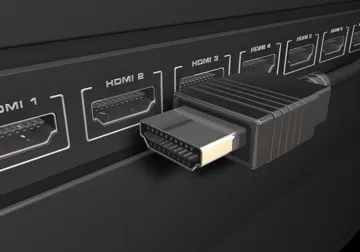
You need a TV with an HDMI input and power for the device. Keep both remotes nearby the first time. The TV remote selects the input, while the device remote or mouse opens the prayer display settings.
1
Connect the device and select the input
Match the number printed by the port
Read the label beside the TV input, such as HDMI 2, and connect the HDMI cable from the device to that port.
Plug the device into power with its adapter and switch on the TV.
Press Source or Input on the TV remote, select the matching HDMI number and wait for the prayer display.
2
Set what the congregation sees
City, iqama and screen orientation
Select the Alrbea Times logo with the device remote or mouse to open settings. Check the city and clock, then enter the iqama settings your mosque uses for each prayer. Choose the orientation that matches the TV and read the prayer name and time from the back row.
Check that the device has power and both ends of the HDMI cable are seated. Select the matching input again. If you move the cable to another port, change the TV input as well. If you can see the prayer display but the city is wrong, open the city settings on the device.